




By now, you may realize that materials and cost are the design constraints. Almost any design project is going to have these two constraints to some extent. In Chapter 1, “Consumer Concerns,” you learned that human factors are a design constraint. Do you think human factors lead to more or less diversity in designs?
In this Elaborate activity, Human Factors as a Design Constraint, you will learn more about human factors. Then, you will think about how human factors affect the diversity of designs. Materials
In your technology notebook, describe what you think “human factors” means. Give an example of a human factor that affects designs.
-
Read the Need to Know Types of Human Constraints to help you understand different types of human factors.
Need to Know: Types of Human Constraints
Human factors are one example of a constraint that can affect designs. In general, there are three categories of human factors. These categories represent three different types of characteristics, or properties:
- Physical factors. Physical factors are constraints that affect how a person is able to use a technology. A physical factor might be height, hand size, muscle strength, or hand-eye coordination. If a person has a disability and cannot use some part of the body, that would be a physical factor that would affect a design.
- Mental factors. Mental factors are constraints that affect whether a person can understand a technology. Sometimes technology requires someone to be able to read at a certain level. Maybe a person needs to be able to do some math to use the technology. A child might need logical-thinking skills to be able to use a technology. When a technology has to be designed so people with certain mental abilities can use it, that is a constraint.
- Behavioral factors. Behavioral factors are constraints that affect whether a person can safely use a technology. Many small children put things in their mouths. Because of this behavior, toys for small children have a constraint of not being too small so that children cannot swallow them.
These three types of human factors are the constraints that engineers usually think about when they design technologies.
Draw a three-column table, like the one in figure 2-9, in your technology notebook. Use the three types of human factors as your column headings.
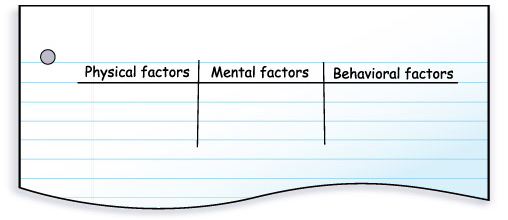 Figure 2-9: Draw a three-column table, like this one, in your technology notebook. Write “physical factors,” “mental factors,” and “behaviorial factors” as your column headings.
-
Role-play the parts in Designing a Game as your teacher directs. As you read, list examples of the types of human factors in your table.
Designing a Game
NARRATOR: Scene: Back in the office of the young engineers. The engineers are working on a new project. They are designing a game for 8- to 12-year-old children.
ALEX: I am really excited about this project. I used to love games when I was younger.
SONYA: I think this will be fun, but there is a lot to think about. What kind of game should we design?
MARIO: I think we should design a video game! Maybe one where players have to avoid getting hit by something like cars or balls.
CAMILLE: That would be interesting, but there is a big difference between an 8-year-old’s hand-eye coordination and a 12-year-old’s hand-eye coordination. It would be difficult to design a game where players have to avoid something that would be okay for both ages.
SONYA: I agree. I was thinking more about something where they are throwing beanbags, rather than a video game.
MARIO: Then we have to worry about whether their hands are big enough for the beanbags or how heavy the beanbags are.
CAMILLE: We could always make different sizes of balls or beanbags to fit different kids.
MARIO: We would also have to think about how much muscle strength they have to throw things.
ALEX: What about a board game? (See figure 2-10.) That can be fun and does not require much physical skill.
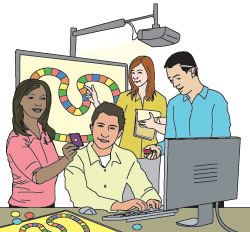 Figure 2-10: The engineers decided it might be fun to design a board game. Which human factors might affect their design?
CAMILLE: A board game would be fun. We would just have to make sure there wasn’t too much reading in the directions or on the board.
SONYA: We would also need to think about the attention span of the kids. We don’t want the game to last so long that they get bored before they finish.
ALEX: Right. We want a board game, not a bored game!
CAMILLE: I remember my little brother having a lot of energy when he was that age. Can we make a game that they lets kids use some of that energy?
SONYA: We need to remember that there are some kids who are physically disabled. I do not want to exclude them by having a game where there is too much running around.
ALEX: What about making the game something where they have to work on a team? I know that some kids that age like to work with their friends on projects. Maybe they would like that in the game, too.
MARIO: I think we have a lot of different ideas. Maybe we should each think of ideas and present our two best at tomorrow’s meeting. Once we have narrowed down our ideas, we can think about what constraints we will need to work around.
CAMILLE: That sounds like a good plan. I am going to go think about ideas right now.
Share with your teammates the information you wrote in your table. Add to your table any ideas that you may not have written down. Use a different-color pen or pencil for any new information.
As a team, think of at least three more examples to add to each column of the table. All teammates should write the examples in their tables. Hint
In your technology notebook, write at least three sentences describing whether you think human factors lead to more diversity or less diversity in designs. Explain your answer.
-
For each of the following situations, write what kind of human factor the engineers had to consider. Then, write whether the human factor led to more diversity or less diversity in the design.
- A very short person needs to drive a car. Engineers put extenders on the pedals.
- Engineers used nontoxic paint to design a toy for small children.
- Engineers installed an elevator in a building used by people in wheelchairs.
- Engineers installed handrails in some stalls in a bathroom to help elderly people.
Look back at your answer to Step 7. You may have new ideas after you completed Step 8. If you would like to add or change any information, do so with a different-colored pen or pencil. Hint
-
If you would like to know more about a career that relates to human factors, read the sidebar Ergonomics—The Science of Human Factors. Sidebar
Activity Overview
In this Elaborate activity, Human Factors as a Design Constraint, students will consider the types of human factors that can constrain designs. They will role-play a scenario with the young engineers from Chapter 1 to identify types of human factors. There is an optional sidebar that helps students understand ergonomics.
Before You Teach
Background Information
Human factors, mentioned in Chapter 1, are one kind of constraint on designs. Engineers usually consider three main categories of human factors—physical characteristics, mental characteristics, and behavioral characteristics. You will find a description of each in the Student Edition. Students should realize that human factors are simply one type of constraint, but since they are harder to understand than other constraints, such as money or materials, an activity was dedicated to them. Human factors are not more important than any other kind of constraint. As engineers work to develop solutions, they must consider all constraints, including human factors.
Ergonomics is the study of human factors and how they affect the design of products. You may be familiar with ergonomic chairs or keyboards. As you will read in the optional sidebar (Ergonomics—The Science of Human Factors), one can apply ergonomics to other items, such as toothbrushes.
Materials
For the entire class:
- pens or pencils of different colors
Advance Preparation
Take time to read the sidebar Ergonomics—The Science of Human Factors, and then decide whether you would like your students to read it. Because it is a sidebar, it is optional; however, it highlights an interesting career choice and a way to use human factors in a design.
As You Teach
Outcomes and Indicators of Success
By the end of this activity, students will
-
demonstrate an ability to identify human factors that affect designs.
They will show their ability by
- identifying, as they role-play a scenario, human factors that are constraints
- explaining why human factors are important to consider in technology design
- identifying human factors that affected their airplane designs in the Explain activity.
-
be able to identify different types of human factors.
They will show their ability by
- identifying types of human factors that constrain the design during the role-play of a scenario
- providing their own examples of each type of human factor.
Strategies
Getting Started
Have students look at the chapter organizer. Ask them if they remember talking about human factors in the last chapter. Hold a brief class discussion about what students think human factors are. Then, pose the question from the activity introduction: “Do you think human factors lead to more or less diversity in designs?”
Process and Procedure
-
Allow students time to write their ideas about what “human factors” means and to come up with an example. Students should work individually during this step.
-
Have students read the Need to Know Types of Human Constraints to help them understand the different types of human factors that engineers consider.
-
Students should draw a three-column table as described in Step 3.
-
Have students role-play Designing a Game, the scenario with the young engineers. You may do this as a whole class or in groups. You will need to assign students to play the roles of the narrator, Alex, Sonya, Mario, and Camille. The students should read the dialogue for the assigned character. Remind students that as they read or listen, they should complete their tables with examples of the different types of human factors.
-
Students should share the information from their tables with their teammates. Remind them that they can add any new information or revise what they have written, but that they should do so using a different-color pen or pencil.
-
Students should continue working in their teams for Step 6. They should come up with at least three additional examples for each type of human factor. The information in the hint may help them get started. The examples should not have been mentioned in the role play, and they do not need to be limited to game design. Examples students might come up with for physical characteristics are “being too short to go on a roller-coaster ride” or “not being tall enough to make a hoop in basketball.” They might come up with “not having the coordination to use a mouse on a computer game or the controller on a video game.” For mental characteristics, they might come up with a child not being old enough to understand the rules of a game or a parent not having enough computer skills to use a particular program or play a particular game. For behavioral characteristics, they might come up with a child’s inability to pay attention to a long class or a parent’s unwillingness to allow children to stay up all night. Students will likely have the most difficulty coming up with behavioral characteristics.
-
Give students time to write their ideas about whether human factors lead to more or less diversity in designs. They are not expected to come up with the correct answer, but they should write their best ideas. Many will likely think that human factors lead to less diversity because the factors often are additional constraints to a design.
-
Students should think about each situation presented in Steps 8a-8d and describe whether it makes the design more or less diverse. Students may come up with different ideas. Some possibilities are as follows:
-
A very short person needs to drive a car. Engineers put extenders on the pedals.
The engineers had to consider a physical factor. The solution led to more diversity in the design because now, rather than having typical car pedals, there are extenders on the pedals.
-
Engineers used nontoxic paint to design a toy for small children.
Engineers had to consider the behavioral factor of small children putting painted objects in their mouths. This may have limited the diversity of the design because only certain types of paint could be used.
-
Engineers installed an elevator in a building used by people in wheelchairs.
Engineers had to consider a physical factor. If students consider a design that must transport people from floor to floor in an existing building, then the design is more diverse now because people may use stairs or an elevator. If students consider a design of a new building where only an elevator is installed, then they may say that the design is limited because there can be only an elevator and no stairs. Accept any reasonable answer as long as students can explain their evidence and ideas.
-
Engineers installed handrails in some stalls in a bathroom to help elderly people.
Students may say the engineers had to consider physical factors or behavioral factors. If students think of people who have trouble moving, then they may say the handrails are related to physical factors. If students consider elderly people who are cautious to avoid falls, then they may say the engineers had to consider a behavioral factor. Students may say that the handrails increased diversity or decreased diversity. Accept any reasonable answers as long as students explain their ideas.
-
-
Allow students time to revise their answers to Step 7. If students felt that human factors always led to less diversity, they now may realize that sometimes human factors lead to more diversity in designs.
Step 10 contains the optional sidebar about ergonomics. If you would like to have your students read Ergonomics–The Science of Human Factors, you might preface their reading with the idea that ergonomics is an interesting career choice related to human factors.